2 Setup

2.1 Connect power and network

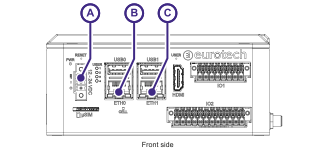
  1. Connect the power supply to the device (A)
    • Verify Power LED illuminates
  2. Connect the LAN port (B, ETH0) to the PC
    • Verify the PC receives IP in 172.16.0.x range
  3. Connect the WAN port (C, ETH1) to the router

2.2 Setup

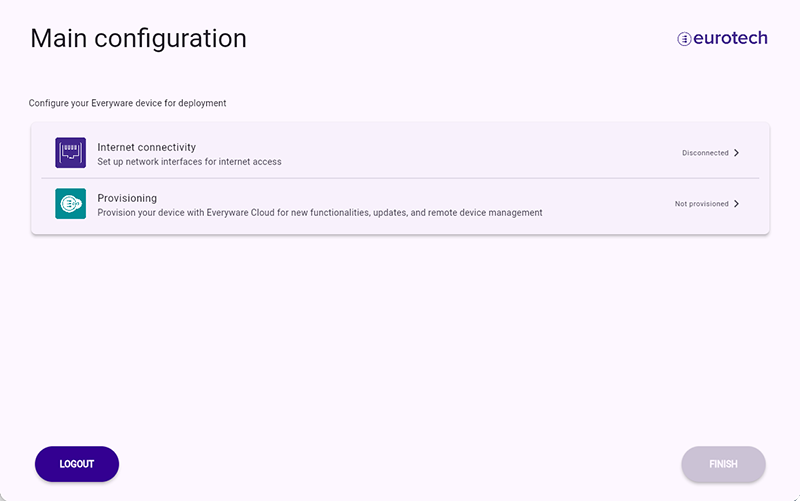
  1. Go to: https://172.16.0.1/onboarding/index.html.

    Your browser (Chrome) will display a security warning. This is a self-signed certificate that is used to secure local device access. Click Advanced. Click Continue to site.

  2. Log in with:
    • Username: onboarding
    • Password: S/N (Serial Number)

2.3 Connect Internet

  • If Internet connection is detected, go to 3 Register
  • If not:
    1. Configure Ethernet manually (DHCP recommended)


! 1 Unbox

3 Register "