3 Register

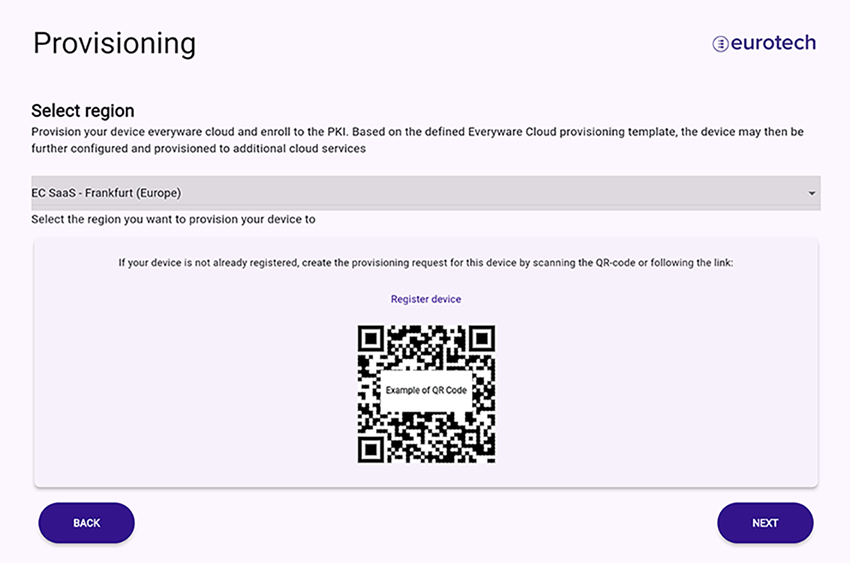
3.1 Select the Everyware Cloud (EC) region

Select the EC region where you will provision the device:

  • Find your region in the EC confirmation email

3.2 Register your device in EC

  1. Click Register device to access the EC console and create a provisioning request

You are now in the EC console:

3.2.1 Create provisioning request

  1. Log in to EC with your account
  2. Verify that S/N (Serial Number) and Client ID (MAC ID ETH0) are correct
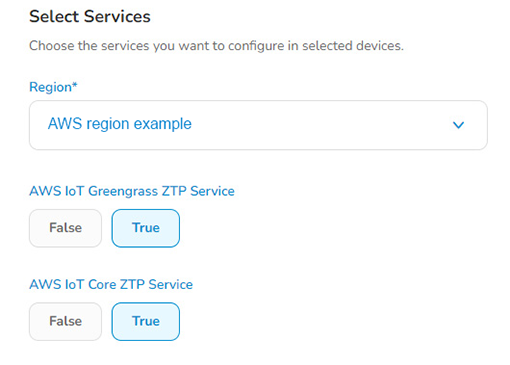
  3. Review and select the IoT services you want to enable for your device
  4. For the optional AWS IoT services, select your AWS IoT region

  1. Click Submit and leave the EC console
  1. Go back to the device setup and click Next


! 2 Setup

4 Provision "